Agentic PMO

Aligned teams
make faster progress.

SuperEmployee keeps everyone clear on what matters, what comes next, and who owns it.

No credit cardWorks around your existing toolsHuman stays in control
Product sync 10:14 AM
“I’ll finish the onboarding review by Tuesday.”
✦ Commitment captured

SuperEmployee
Task created

Review onboarding flow

OWNERAyaan
DUETuesday
STATUSIn progress
Slack follow-up 10:16 AM
Is the onboarding review complete, or is it blocked?
↳ Awaiting production access
!Decision needed

Production access is blocking onboarding launch.

Google MeetZoomMicrosoft TeamsSlackWhatsAppJiraLinearGoogle MeetZoomMicrosoft TeamsSlackWhatsAppJiraLinearGoogle MeetZoomMicrosoft TeamsSlackWhatsAppJiraLinearGoogle MeetZoomMicrosoft TeamsSlackWhatsAppJiraLinearGoogle MeetZoomMicrosoft TeamsSlackWhatsAppJiraLinearGoogle MeetZoomMicrosoft TeamsSlackWhatsAppJiraLinear
Meeting to progress

Turn every meeting into aligned progress.

SuperEmployee joins the meeting, captures commitments and blockers, turns them into tasks, adds them to the tracker, and follows up automatically.
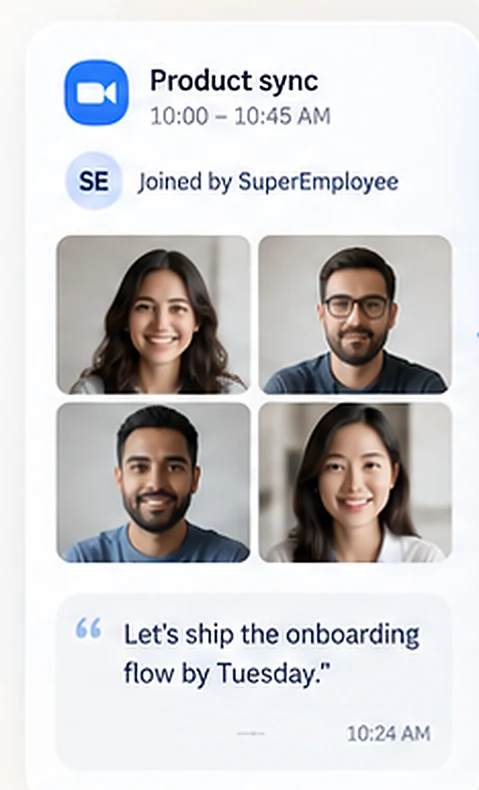
  1. A Product sync meeting, 10:00 to 10:45 AM, joined by SuperEmployee, with four participants and the captured line “Let’s ship the onboarding flow by Tuesday.” at 10:24 AM.1Meeting joined
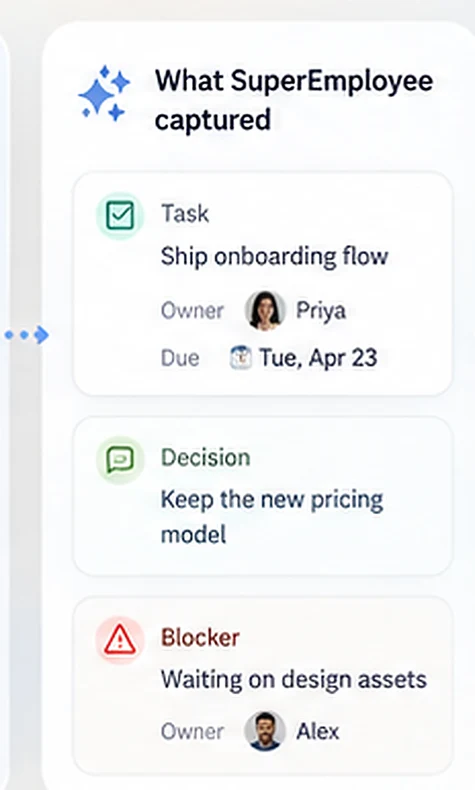
  2. What SuperEmployee captured: a task to ship the onboarding flow, owned by Priya and due Tuesday 23 April; a decision to keep the new pricing model; and a blocker waiting on design assets, owned by Alex.2Action items extracted
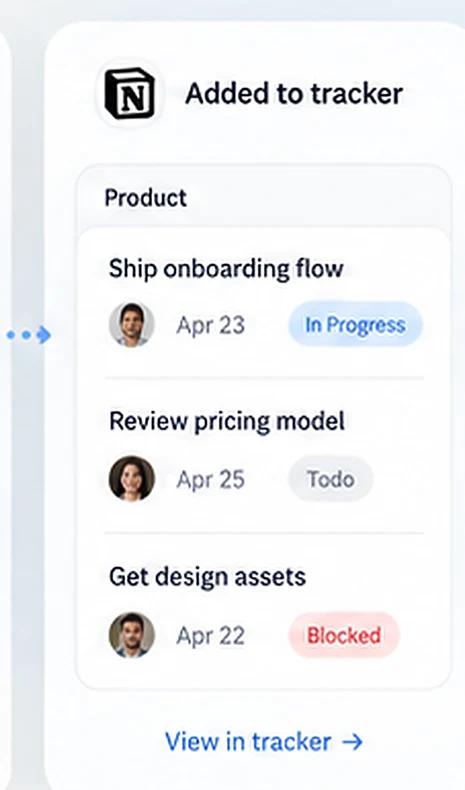
  3. The Product tracker showing three tasks: Ship onboarding flow, 23 April, In Progress; Review pricing model, 25 April, Todo; and Get design assets, 22 April, Blocked.3Added to tracker
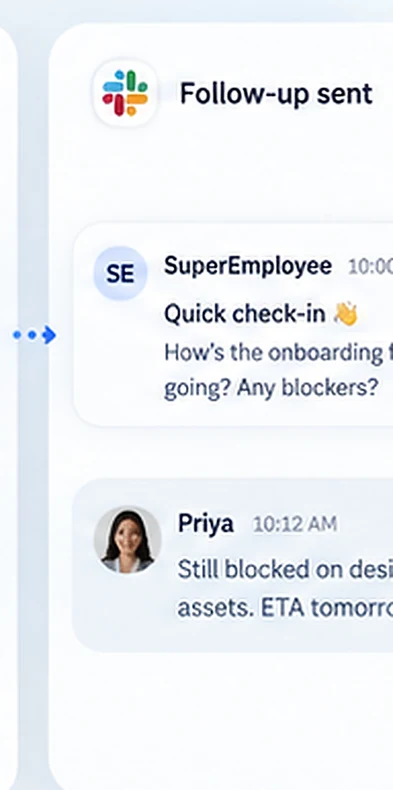
  4. A follow-up thread: SuperEmployee asks at 10:00 AM how the onboarding flow is going and whether there are blockers, and Priya replies at 10:12 AM that she is still blocked on design assets with an ETA of tomorrow.4Follows up automatically
After the meeting

Everything between the meeting and the outcome.

Commitments become tracked tasks, owners are chased in the tools they already use, and only the decisions that need a person reach you.

01 · CAPTURE

Capture — from wherever work begins

Every commitment becomes trackable.

Meetings
WhatsApp / Slack
Tracker
SuperEmployee

Owner, date and source attached.

03 · ESCALATE

You see decisions, not status noise.

Only risks, approvals and missed commitments are brought to your attention.

!DECISION NEEDED

Friday launch is at risk.

Production access has blocked testing for 2 days.

Where people work

Coordination happens inside Slack, Email and WhatsApp.

SuperEmployee follows up in the actual tools your team already uses, with the real commitment and context. That is why it feels like work moving, not another dashboard asking for status.

SlackWhatsAppEmailVoice
Slack follow-upWhatsApp follow-upAutomatic logging
SuperEmployee
Channels
# launch-room# product# delivery
# launch-roomFriday launch blockers
SuperEmployee
SuperEmployee

You said the onboarding review would be ready Tuesday. Is it complete, or is something blocking it?

N
Noor

Still working on it. I’m blocked on production access.

Blocker detected
Linked to the task and escalated for approval.
SuperEmployee
SuperEmployeeonline
TODAY
Reminder: client deck proof is due by 5 PM today.
I’ll send it after the final edits.
Thanks — I’ll check back at 4:30.
Done. Sharing now.
Message
Automatic reporting

The update comes to you.

Morning, end-of-day and weekly summaries turn all that coordination into a clear operating picture.

08:00
Morning report

What needs attention today

  • 17 active tasks
  • 3 due today
  • 2 blocked
18:00
End of day

What actually moved

  • 11 moved forward
  • 2 commitments missed
  • 1 decision needed
FRI
Weekly summary

Where execution stands

  • 84% completed on time
  • 6 blockers resolved
  • 1 launch remains at risk
Human control

Your AI can act. Your rules decide how far.

Control what SuperEmployee can read, change or send. Keep approvals for sensitive actions and a complete record of every automated step.

Workspace controlsActive
  • Outbound messages wait for your approval
  • Every task links back to the message it came from
  • A timestamped trail of what it did and when
  • Access scoped per project and per workspace
Common questions

What teams ask before they start.

Whether it replaces your tracker, who approves what it sends, and what happens when an owner goes quiet.

Does SuperEmployee replace our existing project tracker?+

No. It can work with your existing tracker and keep it updated. You can also use SuperEmployee’s own project view if you prefer.

How does it know which tasks to create?+

It detects explicit commitments, owners and deadlines from approved meetings and channels, links the source context, and follows your review rules.

Will it message people without approval?+

You decide. Routine internal follow-ups can run automatically, while external or sensitive messages can require approval.

What happens when an owner does not respond?+

SuperEmployee follows your escalation policy: it can retry, switch channel, update the task as blocked, or bring the decision to you.

Can we start with only one team or project?+

Yes. That is the recommended way to begin: one live project, a small team and 30 days to observe real execution.

Start small

Start moving the project.

Try SuperEmployee free for 30 days. No credit card required.

Start free for 30 days
SuperEmployee
Task captured
Owner followed up
Blocker escalated